How to Use BAF Player
A step-by-step guide for Mobile and TV
Getting Started on Mobile
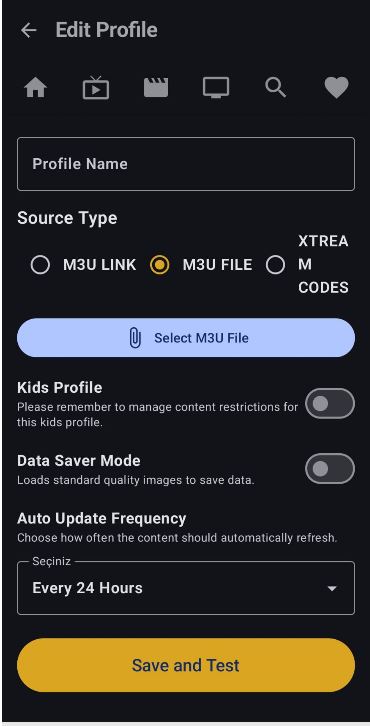
App Features
Favorites
Save the content you want to watch with the add to favorites feature. You won't get lost among dozens of favorites with manual sorting.
Detailed Content
If your server sends detailed information, BAF Player gathers it all for you. Movie posters, plot, cast list, episode summaries, etc.
Filmography
Click on an actor on the movie details page to see all movies featuring that actor available from your source.
Smart Tracking
With the BAF Smart Tracking System, we remember the last channels you watched or the exact minute you left off in movies and series, allowing you to easily resume.
Getting Started on Android TV
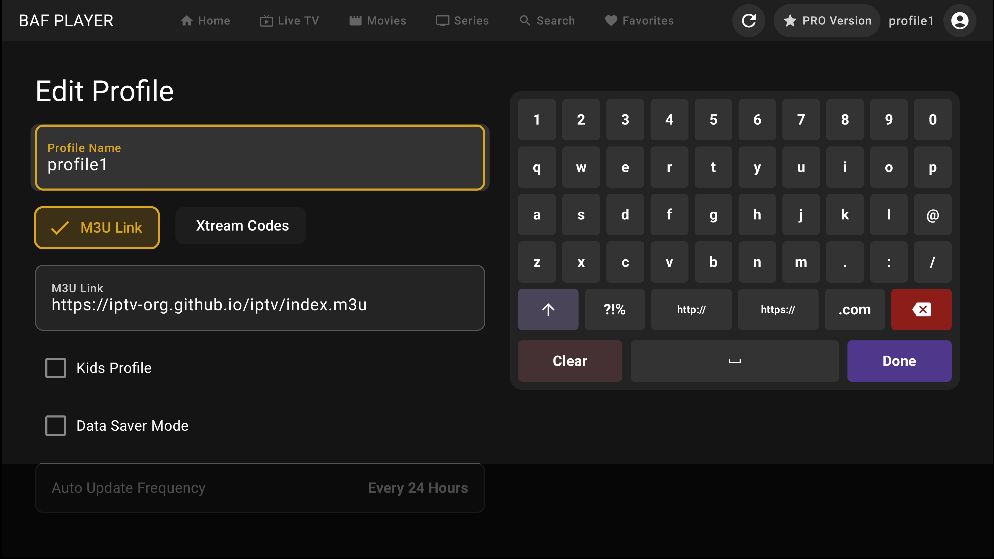
App Features
Favorites
Save the content you want to watch with the add to favorites feature. You won't get lost among dozens of favorites with manual sorting.
Detailed Content
If your server sends detailed information, BAF Player gathers it all for you. Movie posters, plot, cast list, episode summaries, etc.
Smart Tracking
With the BAF Smart Tracking System, we remember the last channels you watched or the exact minute you left off in movies and series, allowing you to easily resume.
Smart Family Control
Want to add a special profile for your child? BAF Player offers a flawless solution. When you select 'Child Profile', our smart system automatically hides potentially sensitive categories, and prevents accidental changes with a Family PIN.
Watch History
You can easily view the complete records of all the movies and series you have watched and delete them if you wish.
Smart Card
BAF Player's smart cards provide information about the watch status of movies and series. Easily track finished or half-watched content straight from the cards.
Fast Zapping & Multi-Language
Enjoy a user-friendly interface with fast zapping without leaving the player screen. Plus, we offer a global service with new languages added in every update.
Apple iOS / macOS / tvOS Guide
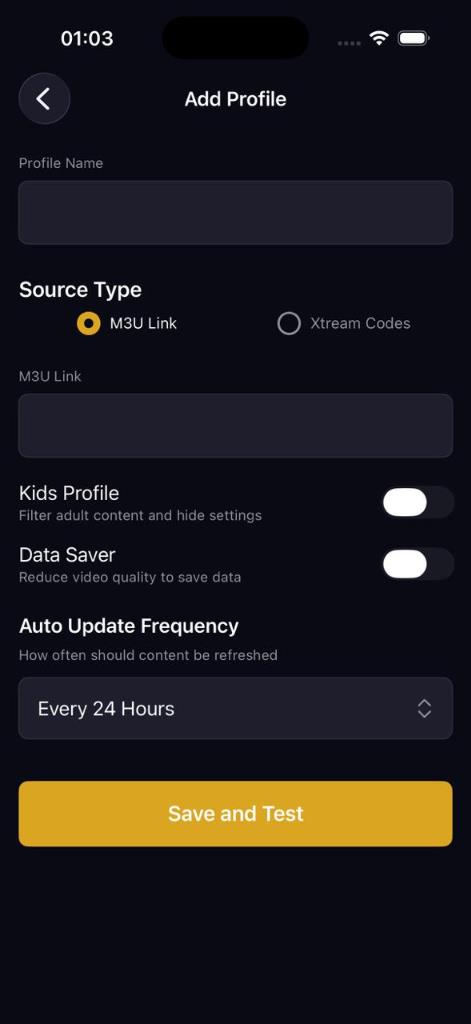
App Features
Favorites
Save the content you want to watch with the add to favorites feature. You won't get lost among dozens of favorites with manual sorting.
Detailed Content
If your server sends detailed information, BAF Player gathers it all for you. Movie posters, plot, cast list, episode summaries, etc.
Filmography
Click on an actor on the movie details page to see all movies featuring that actor available from your source.
Smart Tracking
With the BAF Smart Tracking System, we remember the last channels you watched or the exact minute you left off in movies and series, allowing you to easily resume.
Smart Family Control
Want to add a special profile for your child? BAF Player offers a flawless solution. When you select 'Child Profile', our smart system automatically hides potentially sensitive categories, and prevents accidental changes with a Family PIN.
Watch History
You can easily view the complete records of all the movies and series you have watched and delete them if you wish.
Smart Card
BAF Player's smart cards provide information about the watch status of movies and series. Easily track finished or half-watched content straight from the cards.
Fast Zapping & Multi-Language
Enjoy a user-friendly interface with fast zapping without leaving the player screen. Plus, we offer a global service with new languages added in every update.
Getting Started on Windows
App Features
Favorites
Save the content you want to watch with the add to favorites feature. You won't get lost among dozens of favorites with manual sorting.
Detailed Content
If your server sends detailed information, BAF Player gathers it all for you. Movie posters, plot, cast list, episode summaries, etc.
Filmography
Click on an actor on the movie details page to see all movies featuring that actor available from your source.
Smart Tracking
With the BAF Smart Tracking System, we remember the last channels you watched or the exact minute you left off in movies and series, allowing you to easily resume.
Smart Family Control
Want to add a special profile for your child? BAF Player offers a flawless solution. When you select 'Child Profile', our smart system automatically hides potentially sensitive categories, and prevents accidental changes with a Family PIN.
Watch History
You can easily view the complete records of all the movies and series you have watched and delete them if you wish.
Smart Card
BAF Player's smart cards provide information about the watch status of movies and series. Easily track finished or half-watched content straight from the cards.
Fast Zapping & Multi-Language
Enjoy a user-friendly interface with fast zapping without leaving the player screen. Plus, we offer a global service with new languages added in every update.
BAF TV
Easily access TV channels from every country in the world. All links are automatically checked, keeping only active streams in the list.
BAF Radio
Thousands of radio stations from every country... instantly change the genre and origin of the music you listen to with the shuffle feature. Discover brand new sounds as your mood changes.
Getting Started on XBOX
App Features
Favorites
Save the content you want to watch with the add to favorites feature. You won't get lost among dozens of favorites with manual sorting.
Detailed Content
If your server sends detailed information, BAF Player gathers it all for you. Movie posters, plot, cast list, episode summaries, etc.
Filmography
Click on an actor on the movie details page to see all movies featuring that actor available from your source.
Smart Tracking
With the BAF Smart Tracking System, we remember the last channels you watched or the exact minute you left off in movies and series, allowing you to easily resume.
Smart Family Control
Want to add a special profile for your child? BAF Player offers a flawless solution. When you select 'Child Profile', our smart system automatically hides potentially sensitive categories, and prevents accidental changes with a Family PIN.
Watch History
You can easily view the complete records of all the movies and series you have watched and delete them if you wish.
Smart Card
BAF Player's smart cards provide information about the watch status of movies and series. Easily track finished or half-watched content straight from the cards.
Fast Zapping & Multi-Language
Enjoy a user-friendly interface with fast zapping without leaving the player screen. Plus, we offer a global service with new languages added in every update.